Communication with certain types of devices can occur through different communication ports. Generally speaking, the system can automatically establish a connection with the camera using its main port (assigned on the General Settings screen), but you can manually configure additional communication ports for the device using the Extra Ports Configuration screen:
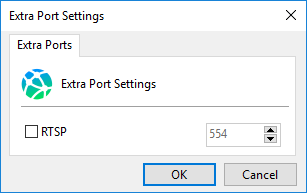
This screen will display a list of all ports used by the camera. To specify a port, select the corresponding checkbox for the port you want to configure. Only ports with the checkbox selected will use the specified value; if the checkbox is not selected, the default value (or the port configured directly on the device) will be used.