The system allows you to create icons with visual representation for Global and Manual Events (Registered in Cameras). You can add actions for the operator to activate the event, and you can also add event status icons.
To add Global or Manual Events, drag the corresponding icons from the list (Manual events are found inside camera objects):

If you drag the main event icon, the icon on the map will be an action button for the Surveillance Client operator that they can click to trigger the event.
You can also drag the event status, to do this simply select the Status icon located within the corresponding event.
Event objects have the following properties:
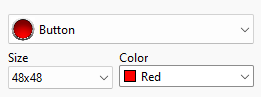
•Image: Select an image to represent the event icon on the map
•Size: Select image size
•Color: Select icon color
Status objects have the following properties:

•Image: Select the appropriate image to represent the event on the map. The image on the left will represent the object when the event is not occurring, and when the event occurs, the icon will flash, switching between the two images until the operator confirms the alarm by double-clicking on the map object in the Monitoring Client.
•Size: Select icon size