To access the Web Server settings, click on Web Server, located in the Settings Menu, as illustrated in the figure below:
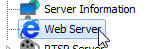
Once this is done, the Web Server settings will be displayed on the right, as shown in the figure below:

•Activate the web server: Activates the Web server allowing users to connect to the server through a web browser.
•Server port: Port used to access the server. This port can be changed and must be configured on your router for external access.
•Enable HTTPS (SSL): Enable HTTPS support on the web server. To use SSL you must provide SSL certificates. See the SSL Certificates topic for more information.
•Server Port: Configure the access port via HTTPS.